Monday, 20 August 2012

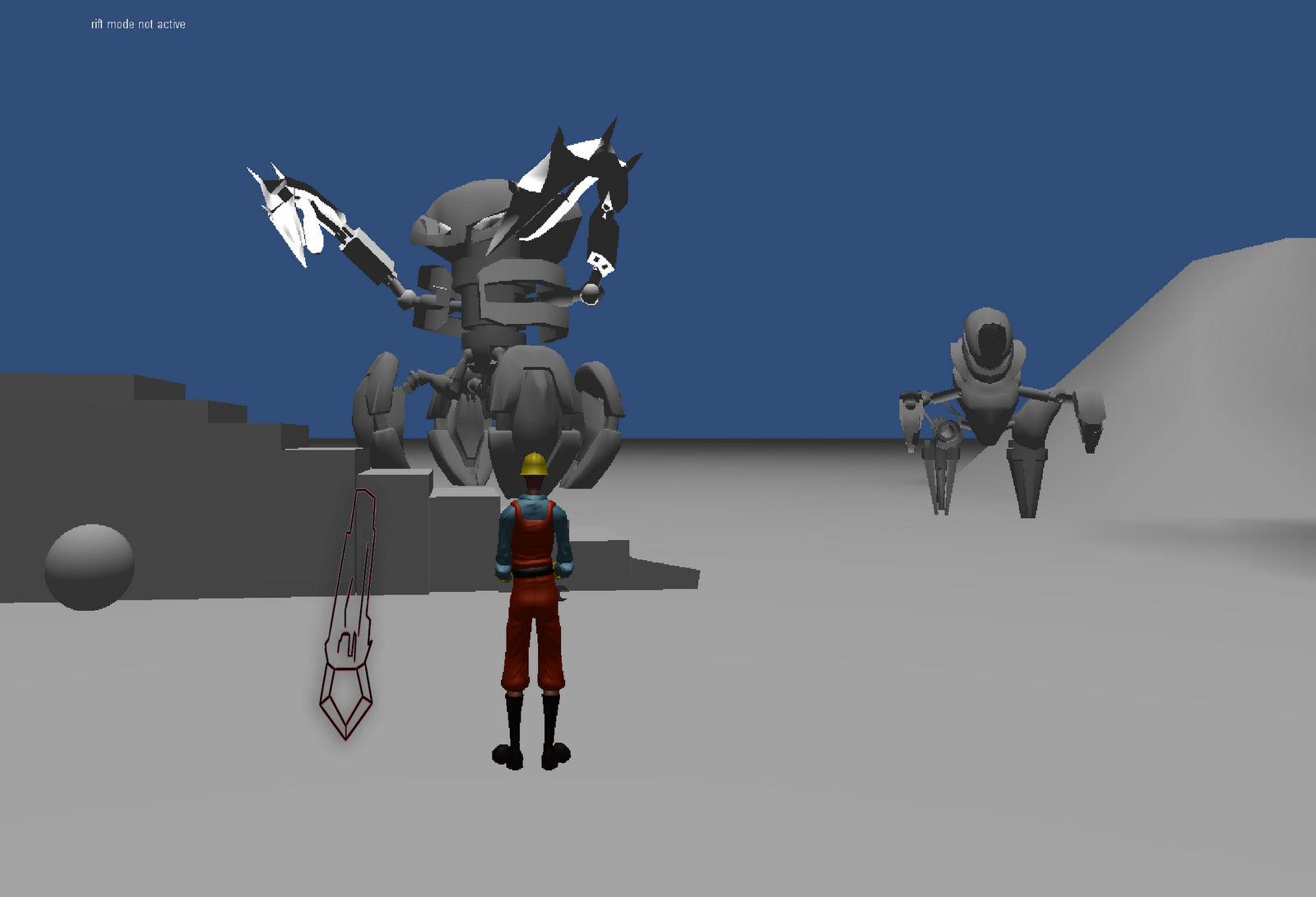
Giant Tumbler WIP

Starting to block out some parts of the body but focusing on certain parts.

After I block out basic shapes and volumes I started adding more detail into it!

Adding more limbs and detailing them, every part of the body is a different mesh so it can be parented to another for easy non-rigged animation or if the animator wants to add a skeleton it's very easy to bind the meshes on the skeleton!
 We were not really happy with the overall shape of the head, seemed too friendly for a final boss, so we started experimenting with various designs. The one on the center looks more threatening than the one on the left side of the screen.
 Final small adjustment on the legs, rotated to the sides to make it look a bit more different than the Mini Tumbler!

Model available online for 3D viewing at:
http://p3d.in/UkxnH

Saturday, 18 August 2012

Textures

Hello guys! I am facing some problems with the texture part. Not the textures themselves, that comes pretty much straightforward, more like problems in the ZBrush - Maya connection. Here you have an screenshot of how the Ravager looks in Zbrush:


This is pretty much Texture map + Normal map + a ZBrush material called "jelly bean".

Everything awesome so far... but when you try to recreate it on Maya, THIS happens:


As you can see, gets massively screwed. Texture map displays ok, the Normal Map is the one that doesn't show correctly.
This already has got the following tweaks:
  • Layered material, so the crystals look transparent and more "glossy" than the rest.
  • 2D bump attributes tweaked to "use as : Tangent Space Normal", and played with Bump Depth.
  • I also played with the Alpha Gain in the Color Balance tab, does pretty much the same than this thing above. 
 Avi suggested to redo the sculpting subdivision levels without smoothing. I tried that, but it kept the low poly hard edges and looked quite bad.  Asking around I got David to shown me a way to do both things: use smooth in the subdivision levels and keep the original low poly proportions. He made a video for that in here:  https://docs.google.com/file/d/0BwDFuVSgOQ2EMTFOdTFvd2l6Rkk/edit?pli=1 .

I followed that method, then again, that was not the problem, as you can see:


Render with the first lowPoly-smoothed Normal Map 


Render with the second lowPoly-preserved Normal Map  
    Only difference you can appreciate is the change in the pattern design due I had to sculpt it again, but other than that is creating a weird bump in the facet limits in the crystal, instead of defining them as it should be:


    I also got the maps tested in marmoset:  


    This render gave me cancer :c , and totally lacks transparency.

    Assuming is an issue of shaders, materials and/or illumination, I guess what follows is to send all the files to Josiah for him to test it into Unity, and see if we can do something so this doesn't get lost in translation. You can find these files at 3D Art > Enemies > Ravanger in the DropBox folder. They are objRavager.mb, Master_nm2.psd (normal map), Master_Trans.psd (transparency map) and Master_tx2.psd  (texture).

    Thursday, 16 August 2012

    UV maps for Caruso

    The UV map is done so Caruso is ready for texturing. Thanks to some tools that Avi informed me of the entire process was actually quite enjoyable and far easier than the methods I used to use! 


    Wednesday, 15 August 2012

    Finished Caruso Base Mesh

    Caruso's base meshes. The Nude version was modelled using Nell's reference images and will be used to get the right body shape for the clothed version of Caruso - the head is reused from the nude Caruso mesh.


    The clothed version using Nell's concept art to base it on. After some feedback from Cullan and a few creative decisions we decided to go for a vambrace on his left arm with a rolled up sleever but made the coat's collar/lapels symmetrical because it was agreed it looks better this way.


    Tuesday, 14 August 2012

    Gem Shader Testing


    While looking up how to best render the crystals that will be present in the game, Avi directed my attention to a user-created custom diamond shader for unity, which gives a nice translucent, glossy effect to the mesh that it is used on.
    After receiving the plugin from Avi, I imported it into the game project and applied it to some of the in game objects to see how it would look.


    It looks nice so far but will probably look more appropriate on the crystals once they're added to the game level.

    Saturday, 11 August 2012

    Designing the Game Level

    The main idea of the level is that can help the player learn how to play the game through pure gameplay and try to avoid "how to play" videos or "tutorials". The first part of the level has a set of pillars/platforms where the player can start jumping on. 

     This is how it looks like. (up)
    The player is drawn to them since there's nowhere else to explore. so by taking advantage of human curiosity   and by giving the player the time to experiment with the controls the player can now start climbing his way up.
     After the player makes it to the tallest of the platforms, all of them rise up to a certain  height, so the player can make it to the top part of the tower there is. We decided to do it like that - and not add extra platforms for that so the player can understand that the world he's in is a bit different than ours and certain rules don't apply (such as platforms rise up). Also the player gets used to the jumping height and distance and has no time limit to get used to the controls,

    As the player makes it to the top, the floating islands that surround the level align into a path where Caruso will get to use his Rift Powers to start crossing the path. Ideally there would be a cutscene to explain the player how to use them, but we couldn't do it due to schedule constraints. At the end of that path, there is a gate-teleporter that allows the player to move on to the next part of the level.

     This part of the level, features a platform of Crystals, which works as a tutorial for the combat. As the elevator rises, it stops at 2 points where enemies spawn. At that point the player again has no time limit and can try beating the enemies.
     The elevator takes the player to the crossroad, where he can start Purifying the crystals at the end of each path. Ideally the player could choose which path he wanted to go to first, but due to to schedule constraint, we had to put barriers to rig which path the player will chose to go to. 
     The Paths are designed so that each path can be crossed with more than one ways. That way the player can have a sense of freedom in the platforming department.
     At the end of each path there are enemies that guard the corrupted crystals. After all the enemies are defeated then the player can simply walk to the crossroad, since the road floats to it's original state.  Some of the buildings move and align themselves to a spiral, some parts of the elevator start rising up as well forming a crystalline staircase.


    This is how the Crystalline staircase looks like as well as the building spiral. This works are a visual indicator for the player on his progress and as a relaxing platforming section to prepare the player for the battle ahead.

     This is the boss room where the player fights the first boss, the Giant Tumbler.

    After the player defeats the Giant Tumbler, he has to go through a fairly easy platforming section which works as a reward to the player for beating the level. The main idea was that in that section the player would unlock memories of Caruso (the avatar of the player) as he was platforming, but we didn't feasible in this timeframe we had available. 

    *note i am using the most recent screenshots for the sake of good aesthetics.


    Early sketches made by Cullan and myself as we were brainstorming about the level design. We worked together on the initial designing. 

    Sketch of the platforming bit in the last part of the game level, the main idea was that the camera would change angle and it would make the game feel like a 2D platforming for that part. The idea was canceled after we decided it would be too time consuming on the programming aspect of the game.


    Friday, 10 August 2012

    Motion Capture.

    As a team we booked the motion capture suit the university provides so we can use it to lessen the amount of hand keyed animation we have to do on the main character.
    We had five, four hour long sessions over a 30 day period to achieve that.
    Our work-flow was quite simple, we made a list of the movements we wanted to record then on the desired date we would meet so Cullan would put the suit on and one of us would sit behind the monitor to make sure   that the skeleton is aligned correctly (sometimes the skeleton disfigures due to magnetic currents in the room cause usually by power cables or plugs)  as well as record and save the data. When we were happy with it we just moved on to the next movement.
    The workflow was as following: After we recorded all of our data, we would give the .bvh files to Anna so she can clean them up and apply it to the Rig.


    Cullan getting prepared to use the motion capture suit

    Cullan getting in the T-Pose position and me operating the animazoo software to make sure the suit is aligned properly.

    (photos taken by Anna Chen)

    Monday, 6 August 2012

    More on Mini-Tumbler AI/Interaction

    With the initial versions of the Mini-Tumbler model now in the test environment, I'm continuing to develop the mini-tumbler AI which will control the mini-tumblers and how they will behave in the game.

    How it works:

    The original AI script for the mini-tumblers, which was used in the previous build of the game will control how the mini tumbler enemies will interact with the player in the game. In addition to the Idle & Chase states of the mini-tumbler AI which I mentioned previously,  hit detection has been added as an additional feature.
    Hit detection is managed by the mini-tumbler AI script checking every frame for any object collisions with the object mesh during that frame. If an object has found to be colliding with the mini tumbler, the script will then check the properties of the colliding object and check if it has been tagged as a "projectile" object. If so, this means that the mini tumbler has been hit by a projectile fired from the player during an attack and will need to react accordingly. After executing this check, the script will then deduct a portion of the tumbler's HP from it's health parameter and also execute a 'knockback' function where the mini tumbler will move back slightly to indicate it's been 'knocked back' from the impact of the attack.

    When other attacks have been added to the player character, hit detection for the enemy characters will then be updated to check for hits from these new attacks as well.


    Revising the timekeeping system

    As I move from working in the test environment to developing the actual game demo, I've begun revising how the timekeeping system works by modifying the script I originally created to keep track of the time and the beats that have elapsed since the game has begun.

    In the original script, the timekeeping system would use the specified BPM of the music to determine when the next beat will occur in the timeline and will check for the relevant input from the player if the game is currently within the beat/accuracy window before or after the exact time when the next tracked beat is supposed to be played.

    Now, in the revised script, the BPM will still determine when the next beats occur, but the game will only check that the player has pressed one of the action buttons within the beat window at the point they press the button. This means that the script won't constantly be checking for input at each beat, and will only need to check the accuracy of the player's button presses and if they are on beat only when the player actually presses the button to attempt to preform an action.

    Saturday, 4 August 2012

    Beginning Combat: Ranged Attack / Shooting

    As part of Caruso's repertoire of actions and abilities in game, he will be able to execute various attacks in order to defeat the enemies that he will encounter throughout the levels of the game. The first attack type, ranged attacks (projectile/shooting attacks) have been the first type of attack to be implemented in the test environment builds in order to shoot and defeat the enemy mini tumblers that populate the test environment level.

    How it works:

    When the player presses the ranged attack button on the controller, a newly created script called 'combat' receives this button press and executes a function called 'Shoot' within the script. The 'Shoot' function then first checks the last time a projectile was fired using the shoot function by comparing the current game time with the time saved when the 'Shoot' function was last executed. If the time difference is more than the defined waiting period between shots, the shoot function will be allowed to continue.
    Next, the object that will serve as the projectile is instantiated at the defined spawn point in front of the player character and the relevant parameters, such as the object tag, are set to make it identifiable as a projectile from the player character. Rigid body and collider objects are also applied to the projectile object to make it able to collide with the enemy characters.
    Once this is done, the movement direction and rotation is set so that it will fire in the direction the player is facing, then a force is applied to the object to make it move in that direction at a constant speed.
    If the projectile object is in the game for more than 5 seconds and it hasn't collided with an object, the script will then destroy the object to prevent lost projectiles from building up over time.

    Friday, 20 July 2012

    Survey draft


    Please let me know of any modification you'd like to make or additional questions you'd like to add!

    Age: Less than 21 / 21-30 / 31-40 / 41- 50 / More than 50
    Sex: Male / Female
    Occupation

    Do you enjoy videogames?

    How often do you play videogames per week?
    Less than 2 hours / 2-5 / 5-10 / 10-20 / More than 30 hours

    Which platform are you playing on?
    PC / Xbox 360 / PlayStation 3 / Nintendo Wii / Nintendo DS/3DS / PlayStation Vita / Smartphone / Social Network

    Which genre do you prefer?
    FPS / RPG / Racing / Puzzle / Sports / Simulation / Strategy / Action/Adventure / Other

    Are you a music enthusiast?

    Rate the involvement of music in your life: Little to Very

    Do you pay attention to videogames soundtrack?
    Always / Often / Sometimes / Never

    Did you ever play Guitar Hero or RockBand?

    What do you enjoy about these games?  Several choices accepted
    Soundtrack / Gameplay / Challenge / Other

    Would you play an adventure game where the music plays a role and is inherent to the gameplay?

    Interface prototype

    I have tried to find a way to gather as much information into one meter as possible and came up with the prototype you can find below with 2 proposed interfaces.

    The goal was to keep the crystal theme of the game and avoid eye strain by gathering all meter in one place.